
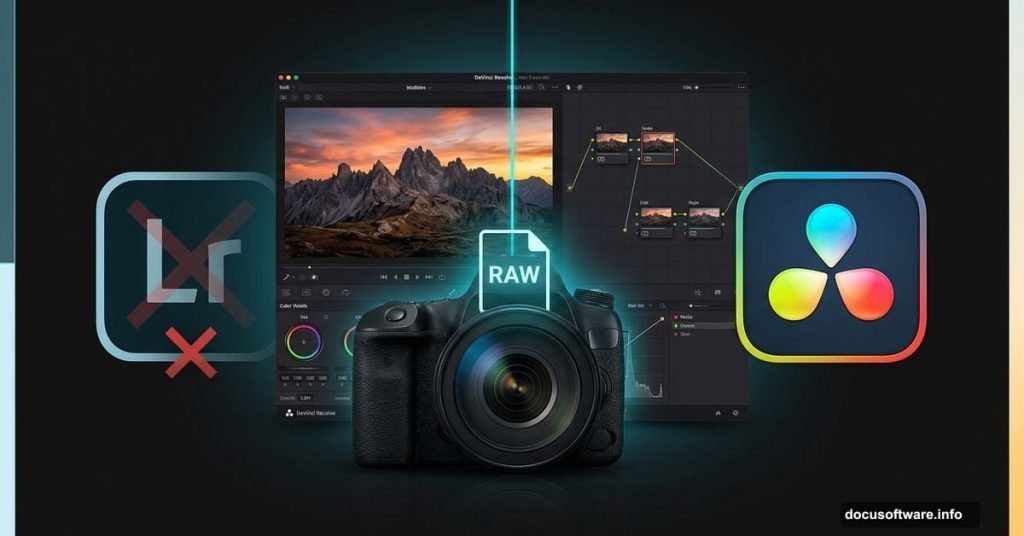
Blackmagic Design just fired a serious shot at Adobe. And this time, the target isn’t Premiere Pro.
The Australian video software company unveiled DaVinci Resolve 21 in beta at NAB 2026, and the headline feature is a brand-new Photo page built specifically for still image editing. Combined with a fresh batch of AI-powered video tools, this update makes Resolve a much more direct competitor to Lightroom and Photoshop than ever before.
The Photo Page Changes Everything for RAW Editing
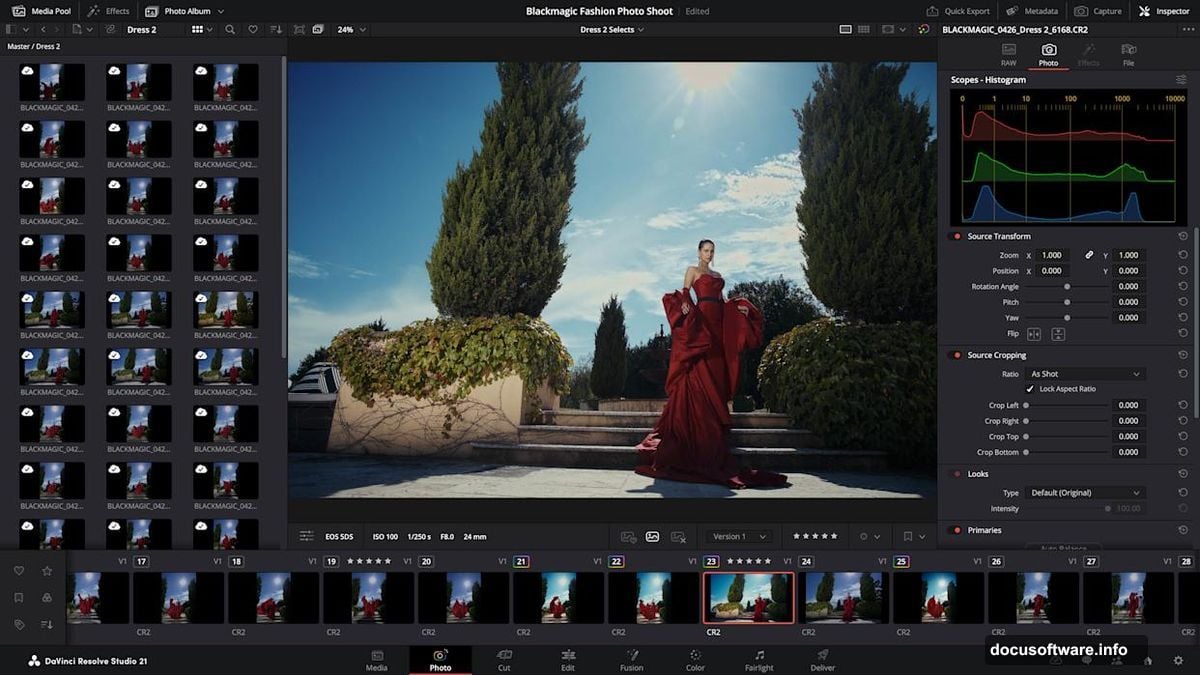
For years, DaVinci Resolve could technically handle photos, but only as clips on a video timeline. That was clunky. The new Photo page fixes that completely.
You can now import and manage still images, including RAW files from Canon, Fujifilm, Nikon, and Sony, directly inside Resolve. The experience feels purpose-built rather than bolted on. Plus, the familiar LightBox view lets you see an entire album with color grades applied at once, updating in real time as you make adjustments.
Albums work similarly to Lightroom collections. You build them in the Photo page, and they automatically appear as timelines in the Cut, Edit, and Color pages too. That kind of cross-page access is genuinely useful for photographers who want to stay in one app.
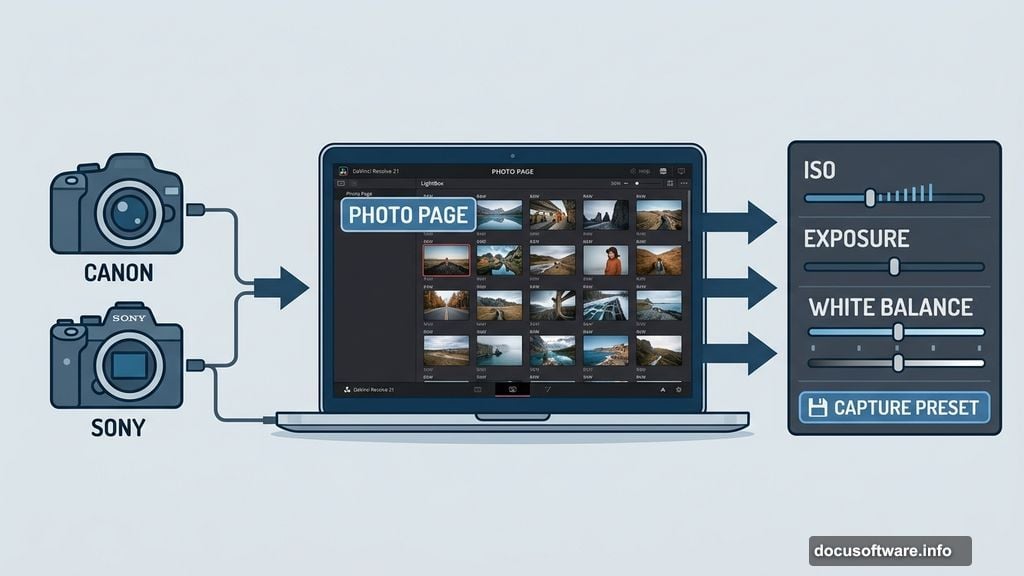
For studio photographers, there’s also camera tethering support for Sony and Canon. You can connect your camera directly to Resolve, adjust settings like ISO, exposure, and white balance live, and even save capture presets to lock in a consistent look before a shoot begins.
Node-Based Color Grading Gives Lightroom a Real Fight
Here’s where Resolve’s Photo page gets interesting. Instead of building a brand-new editing engine, Blackmagic simply pointed its existing Color page at still images. That’s a smart move.
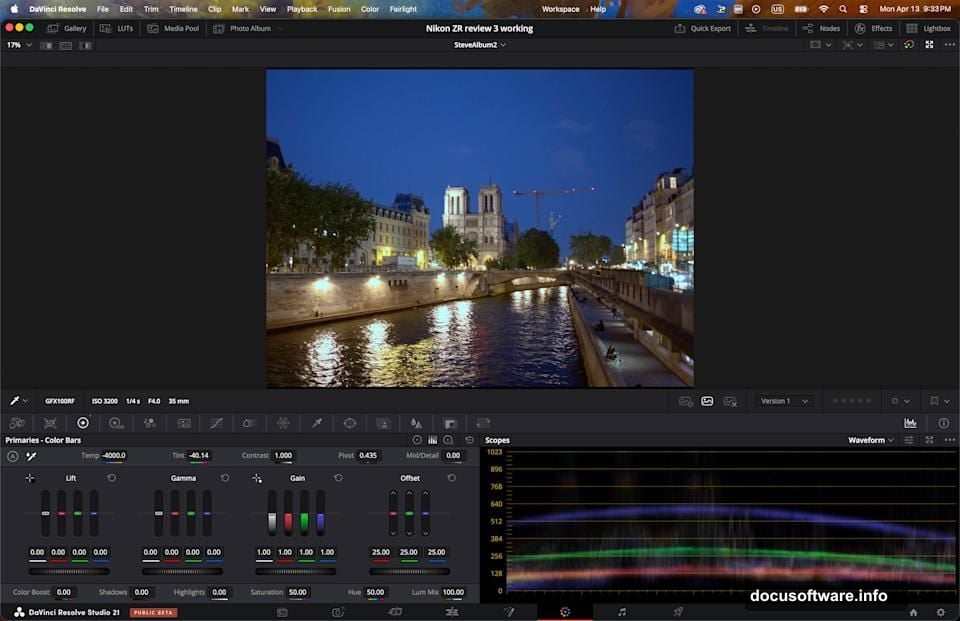
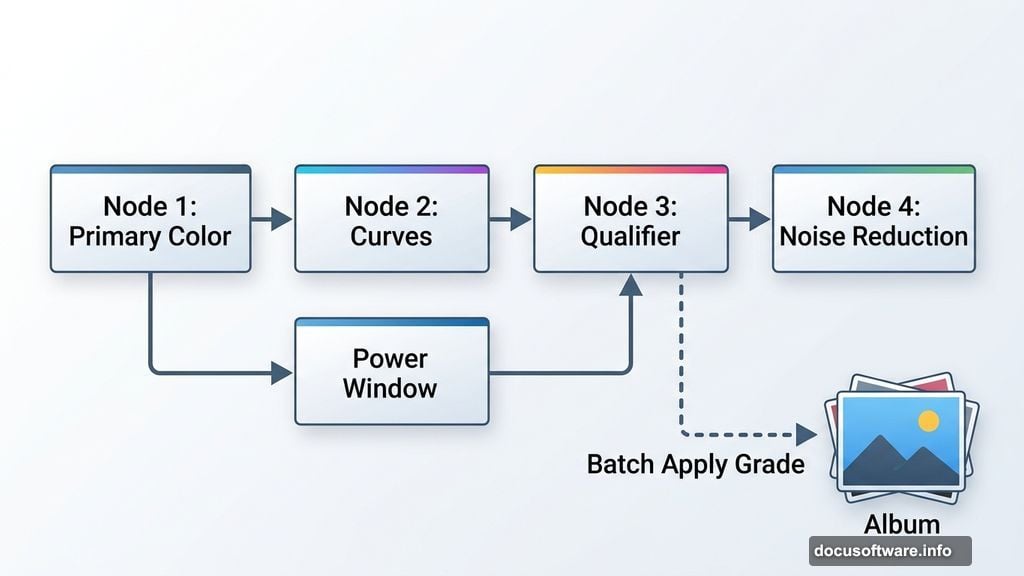
The Color page includes primary color correction, curves, qualifiers, and power windows. Noise reduction and sharpening are in there too. Most of what you’d use Lightroom’s Develop module for lives here, arguably with more depth.
The node-based workflow is where Resolve genuinely outshines Lightroom. You can build complex grades by chaining nodes in series or parallel, then save those grade structures to apply across other images or an entire album instantly. For batch editing, that’s a significant advantage.
Cropping and reframing also happen at the original source resolution, so you’re not degrading quality when you adjust composition. Small detail, but photographers will appreciate it.
AI Magic Mask and VFX Tools Work on Photos Too
Resolve’s AI Magic Mask, which lets you select a subject or object with a single click, works on still images through the Photo page. That alone makes complex selections far less painful than Lightroom’s masking tools.
Beyond that, you can take still images into Resolve’s Fusion page for advanced visual effects work. You can also apply OpenFX and FusionFX filters directly from inside the Photo page without leaving your workflow. For photographers who occasionally need compositing or retouching beyond basic adjustments, that’s a meaningful upgrade.
Collaboration is possible too through Blackmagic Cloud, though that feature does require a paid subscription.
What It’s Like to Actually Use It
I spent some time testing the Photo and Color tools hands-on. As someone already comfortable with DaVinci Resolve, the learning curve felt low. Importing and organizing images was straightforward, honestly simpler than Lightroom’s catalog system in my opinion.
The Color page handles most adjustments just as well as Lightroom’s Develop module. The node-based editing genuinely makes applying grades to multiple images faster and more flexible.
That said, I noticed one real gap. Lightroom’s Clarity slider, which adds midtone contrast and texture to images, doesn’t have a direct equivalent here. It’s a tool I reach for constantly, and its absence was noticeable. Whether Blackmagic adds something similar before the final release remains to be seen.
As for whether I’ll cancel my Photoshop and Lightroom subscription? Honestly, I’m not sure yet. But this update makes that question worth asking seriously.
Fresh AI Video Tools That Will Turn Heads
The Photo page grabbed headlines, but Resolve 21 also brings a compelling set of AI tools for video editors. Some of these will raise eyebrows.
The AI Face Age Transformer analyzes a subject’s face, takes their age as input, and lets you adjust an offset slider to add or remove signs of aging like wrinkles and facial fullness. The AI Face Reshaper goes further, letting you adjust eyes, nose, mouth, eyebrows, and overall face shape. Both tools will spark conversations about ethics in post-production, but their practical uses in drama, commercial work, and documentary filmmaking are obvious.
Also new is AI Blemish Removal, which handles skin imperfections like acne and discoloration while preserving natural skin texture rather than creating a plastic, over-smoothed look.
AI UltraSharpen and Motion Deblur Rescue Problem Footage
Two more AI tools target common footage headaches. AI UltraSharpen can upscale video to make previously unusable footage sharp at higher resolutions. It also handles slight focus errors, which is genuinely useful when a critical shot isn’t quite in focus.
AI Motion Deblur addresses blur from motion, making it particularly helpful for slow-motion footage and freeze frames. Both tools address problems that previously meant either scrapping footage or settling for lower quality results.
Other Notable Upgrades Worth Knowing
Beyond the headline features, Resolve 21 packs in several other improvements. You can now edit Fusion effects directly from the Cut and Edit pages without jumping to the Fusion page itself. The Krokodove library of compositing tools joins the package. New immersive VR tools support delivery to platforms like Meta Quest and YouTube VR.
Most of what’s new is available in the completely free version of DaVinci Resolve. However, two tools, AI Magic Mask and Film Look Creator, require the paid DaVinci Resolve Studio version, which costs a one-time fee of $295.
That pricing model still stands out against Adobe’s subscription approach. One payment, no monthly fees, and you own the software.
Whether Resolve 21’s Photo page convinces working photographers to leave Lightroom will depend on smaller details that only sustained daily use can reveal. But as a first attempt at a dedicated photo editing workflow, it’s surprisingly complete. Blackmagic didn’t build a simplified photo tool. They built a serious one.