

If you’ve ever felt intimidated by Adobe’s software, this news is worth paying attention to. Adobe just confirmed that both Express and Acrobat are coming to Microsoft 365 Copilot, and that changes things in a pretty meaningful way for everyday workers.
The apps will land in the Microsoft 365 Agent Store within the next few weeks. And the goal, according to Adobe Express SVP and GM Govind Balakrishnan, is straightforward: make creativity more accessible to everyone.
No More App-Switching Just to Edit a File

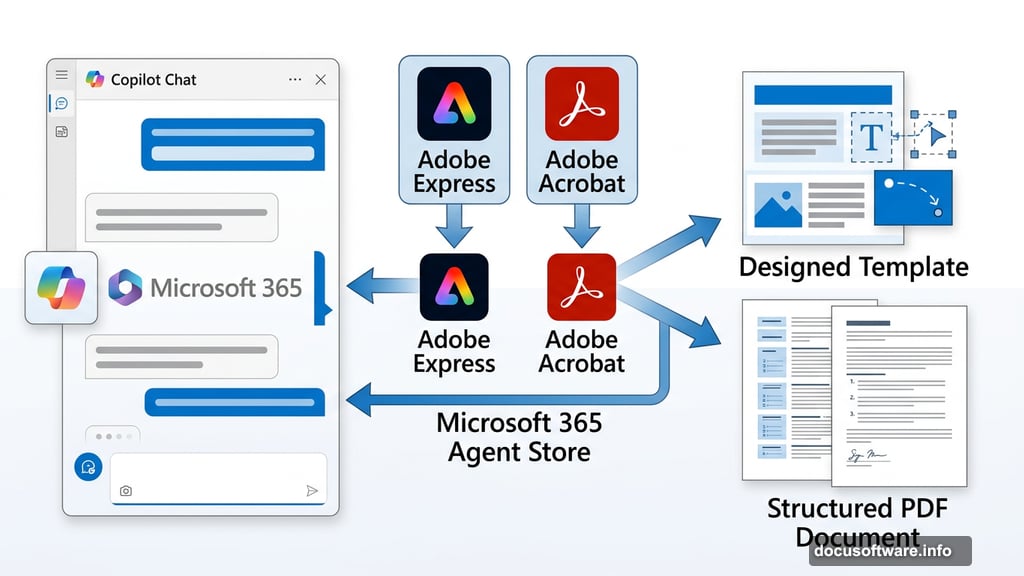
Here’s what makes this integration genuinely useful. You won’t need to open Adobe Express or Acrobat separately to handle common tasks. Instead, you’ll do it all from within Copilot Chat.
Think of it like ordering coffee through an app rather than walking into the café. The result is the same, but the friction is way lower.
For Express specifically, Copilot users will be able to browse design templates, tweak text and copy, swap out or generate images using AI, and even add animations. Plus, if you want to go deeper with any design, the file lives in Express too. So the full editor is always there when you need it.
On the Acrobat side, you’ll be able to create, organize, and edit PDFs right inside the chat interface. No separate tab, no switching context, no learning a new tool from scratch.
Adobe’s Dual Strategy for AI
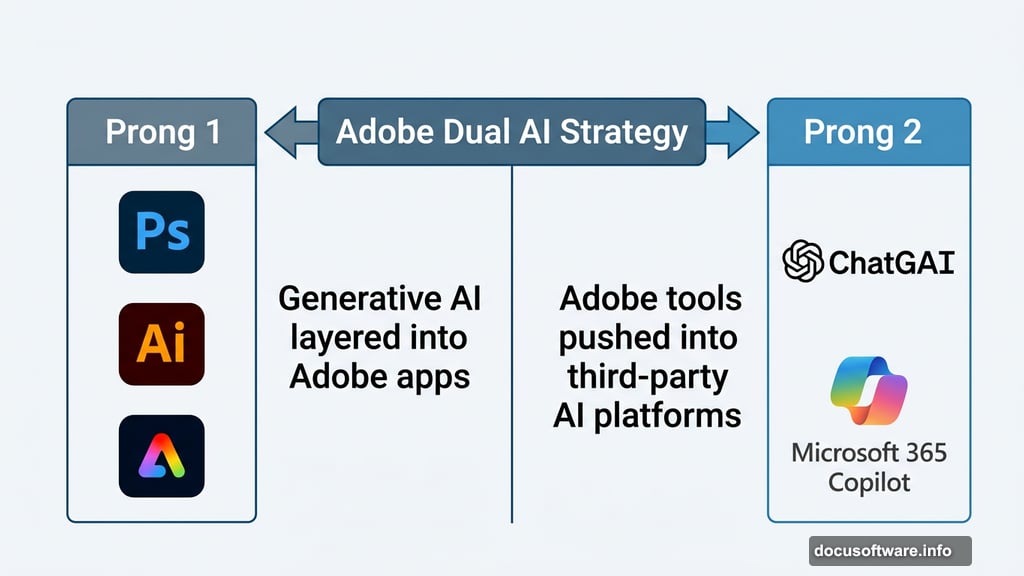
Adobe isn’t just adding AI features to its own apps. The company is also pushing its tools into the AI platforms people already use every day.
That’s a smart two-pronged approach. First, Adobe has been layering generative AI capabilities into Photoshop, Illustrator, and the rest of its suite, making advanced editing more approachable from within those tools. Second, it’s been meeting users where they already are by integrating with third-party AI platforms.
The Microsoft 365 Copilot integration follows an earlier partnership that brought Acrobat, Express, and Photoshop into ChatGPT. So whether you’re a Microsoft shop or an OpenAI shop, Adobe is showing up in your workflow.
Why This Solves a Real Problem
AI tools like Copilot and ChatGPT are genuinely impressive at generating images and content. But refining those outputs has always been a bit clunky. You’d generate something, then spend more prompts trying to nudge it closer to what you actually wanted.
Adding Express and Acrobat into the mix solves that elegantly. Instead of going back and forth with AI prompts, you get a human-editable file from the start. You can take the AI’s output and just… fix it. Manually. Quickly. Without fighting with more prompts.
That’s a meaningful quality-of-life improvement for anyone doing creative or document work inside Microsoft 365.
Adobe’s Long Game Is Paying Off
Adobe has always had a reputation for powerful but complicated software. The learning curve is real. For years, that kept casual users at arm’s length.
But the company has been quietly chipping away at that barrier. Generative AI features make complex tasks simpler. Integrations with AI platforms like Copilot and ChatGPT bring Adobe’s capabilities into familiar interfaces. And lighter tools like Express give non-designers a way to produce professional-looking work without mastering Photoshop.
The Copilot integration is the next logical step. Workers already live inside Microsoft 365. Now Adobe is coming to them, rather than waiting for them to come to Adobe.
For business users especially, that’s a welcome shift. The less time you spend hunting across apps, the more time you spend actually getting work done.