
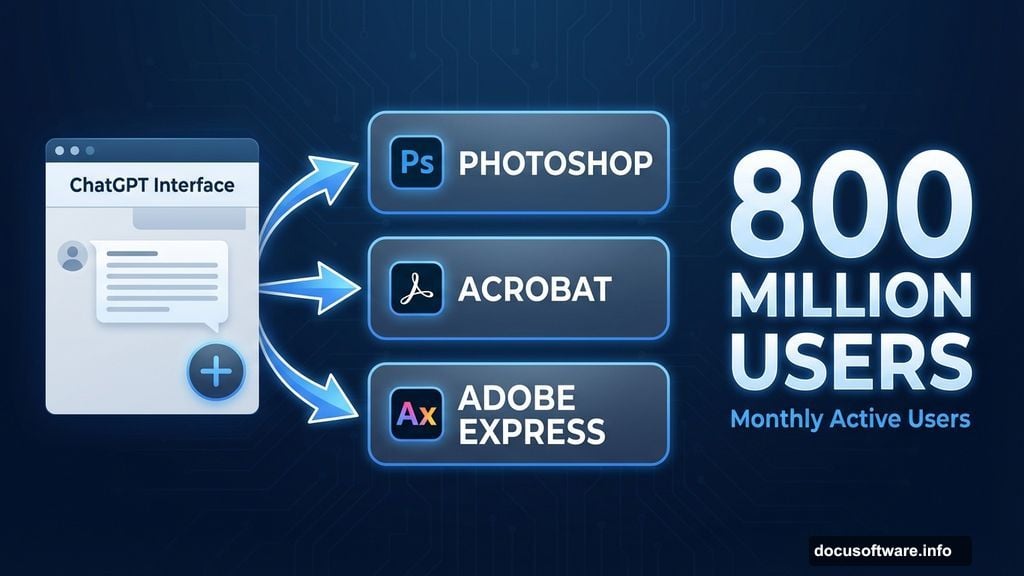
Adobe dropped three of its flagship apps directly into ChatGPT today. Now you can edit photos in Photoshop, generate PDFs in Acrobat, and design graphics in Adobe Express without ever leaving OpenAI’s chatbot.
This isn’t a preview or beta test. It’s live right now for ChatGPT’s 800 million users. Plus, it’s completely free to access through OpenAI’s website, though you’ll need an Adobe account to unlock Acrobat and Adobe Express features.
The implications hit different depending on where you sit. For casual users, Adobe’s notoriously complex software just became conversational. For Adobe, this partnership hands massive distribution to a potential competitor that already offers image generation. So what’s really happening here?
How Adobe Apps Work Inside ChatGPT
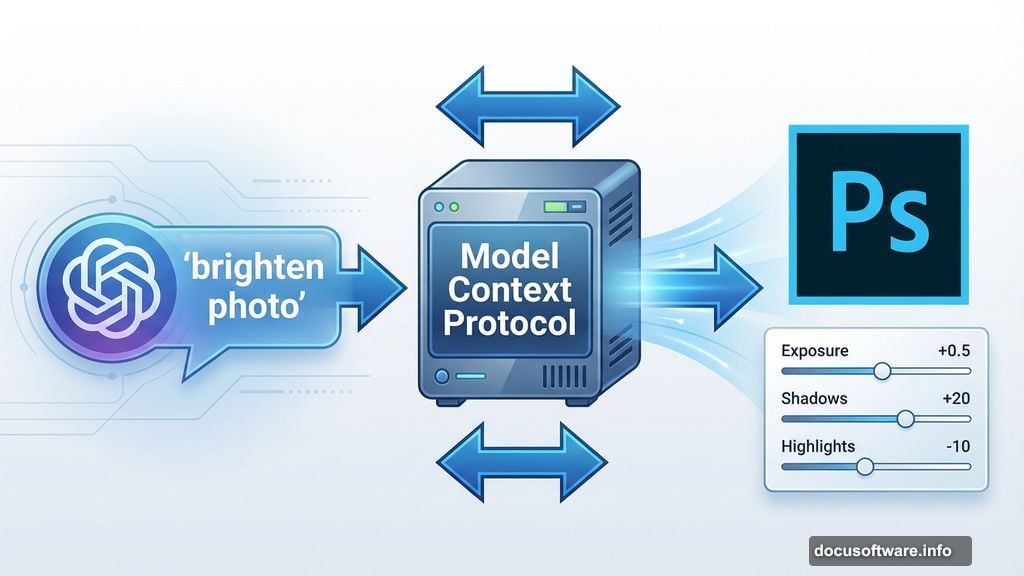
The integration runs deeper than simple API calls. Adobe built what they call an MCP (Model Context Protocol) server that gives ChatGPT direct access to core creative tools.
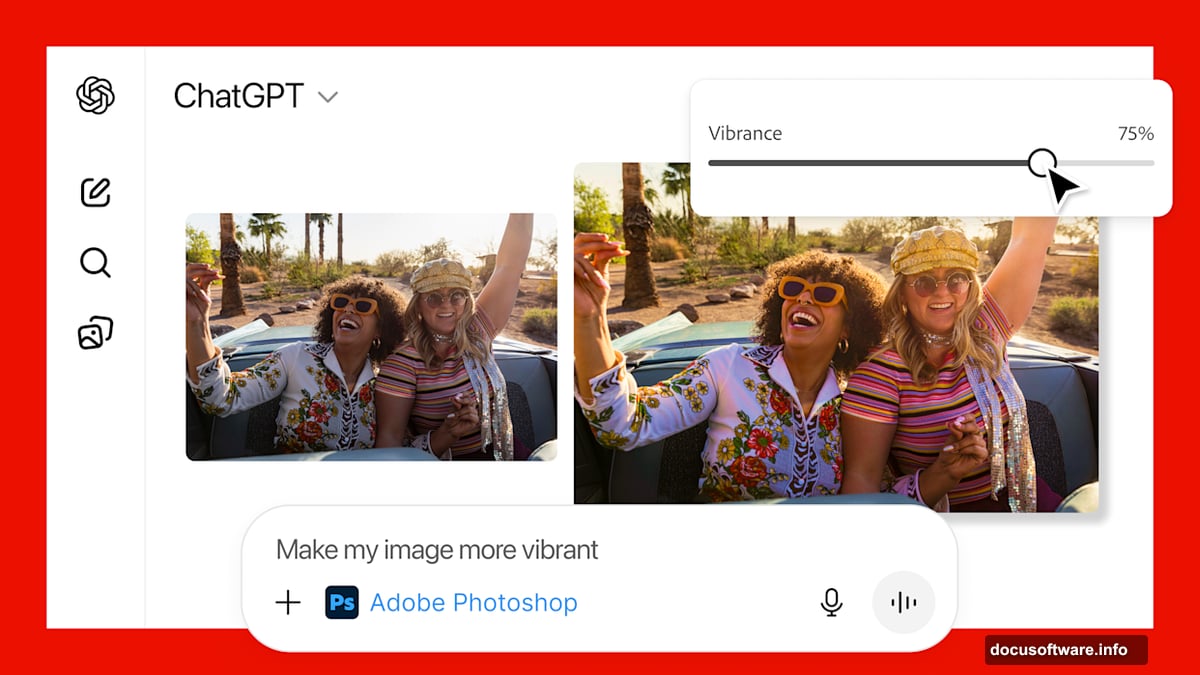
Here’s how it works in practice. Say you want to brighten a photo in Photoshop. Instead of navigating through menus and adjustment layers, you just tell ChatGPT what you want. The interface instantly displays sliders for exposure, shadows, and highlights. Everything relevant to your request appears automatically.
Want to add a visual effect instead? ChatGPT surfaces completely different controls. Options for dithering, tri-tone, and other effects pop up based on your prompt. The chatbot figures out which Photoshop tools you need and surfaces only those controls.
This selective interface approach solves a massive problem with Adobe’s software. Professional creative apps pack decades of features into increasingly complex interfaces. Most users touch maybe 10% of available tools. Now ChatGPT acts as an intelligent filter, showing you exactly what matters for your specific task.
The Technical Architecture Behind the Magic
Adobe’s vice president of developer platform, Aubrey Cattell, explained the approach clearly. “We build the Lego blocks, which are the MCP tools, and we create detailed instructions, and then ChatGPT figures out what it wants to do.”
That non-deterministic nature creates both power and unpredictability. Sometimes ChatGPT nails your intent perfectly. Other times it misinterprets what you want. Adobe continues refining the instructions to improve accuracy, but some variability remains inherent to AI interpretation.
However, escape hatches exist everywhere. If ChatGPT’s interpretation misses the mark, you’re always one click away from the full web versions of Photoshop, Acrobat, or Adobe Express. Think of the ChatGPT integration as a smart starting point, not a replacement for Adobe’s complete applications.
To access any app, either name it directly in your prompt or select it from ChatGPT’s plus menu. The system routes your request to the appropriate Adobe tool automatically.
Why Adobe Partnered With a Competitor
This partnership looks strange at first glance. OpenAI already offers DALL-E for image generation. Why would Adobe hand distribution to a company building competing creative tools?
Cattell framed it as a natural fit rather than a threat. “A couple weeks back, OpenAI dropped Apps SDK as a new paradigm for accessing ChatGPT. We saw there was a natural fit in the work we were doing with our applications.”
In other words, OpenAI built an operating system for apps. Adobe just became one of the first major software companies to plug in. The company views ChatGPT as a distribution channel that brings simplified access to millions of potential users who might find traditional Adobe interfaces too intimidating.
Moreover, Adobe bets on a clear division. ChatGPT offers simplified, conversational access to core features. Adobe’s actual applications remain the destination for users who need “more power, precision and control,” according to Cattell.
That strategy makes sense if you believe AI chatbots will become the primary interface for most software. Better to own the high-end professional tools while letting ChatGPT handle entry-level access than to ignore the shift entirely.
What You Can Actually Do Right Now
Let’s get practical. Here’s what works today in each application.
Photoshop integration handles common photo adjustments through conversational prompts. You can adjust brightness, contrast, saturation, and apply various effects. The system displays relevant sliders based on your request, making photo editing feel more like having a conversation than learning software.
Acrobat access lets you generate, edit, and manipulate PDFs directly through chat. Need to combine multiple documents? Ask ChatGPT and Acrobat handles it. Want to extract specific pages or convert formats? Same deal. The tedious PDF tasks that normally require learning Acrobat’s interface now happen through simple requests.
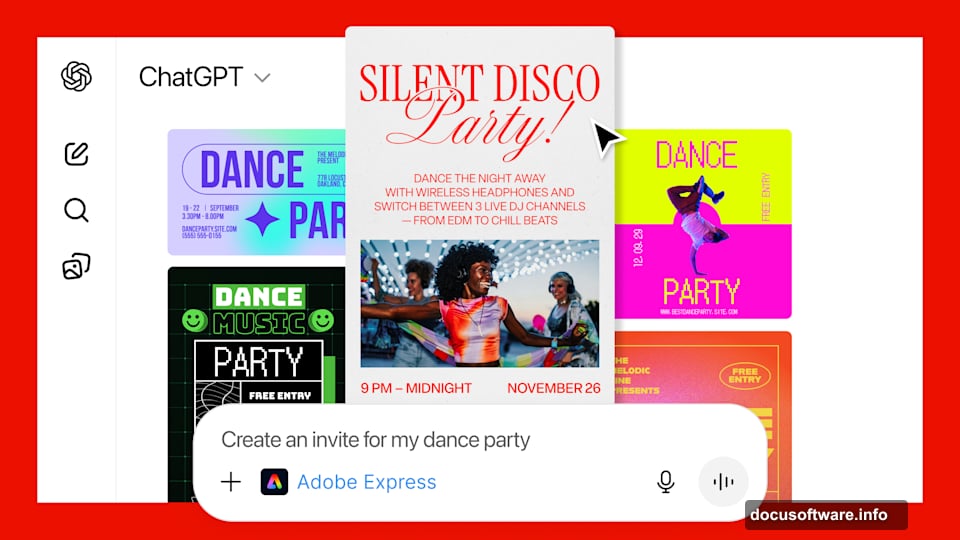
Adobe Express brings design capabilities to ChatGPT users. Create social media graphics, posters, invitations, and other visual content by describing what you want. The demo showed someone generating a dance party invitation through conversation. Adobe Express assembled the design based on the prompt, complete with relevant graphics and layout.
All three integrations maintain Adobe’s quality standards while dramatically lowering the learning curve. That accessibility matters more than it might seem.
The Bigger Picture for AI and Software
This partnership represents more than Adobe apps in ChatGPT. It signals a fundamental shift in how professional software gets accessed and used.
For years, powerful creative applications demanded significant learning investment. Users spent hours watching tutorials, memorizing keyboard shortcuts, and understanding complex feature interactions. That barrier kept professional tools in the hands of dedicated users willing to climb the learning curve.
Conversational AI interfaces demolish that barrier. Now anyone can access professional-grade tools through natural language. The question becomes whether simplified access cannibalizes Adobe’s traditional business model or expands the market by bringing in users who previously found the software too intimidating.
Adobe clearly bets on market expansion. Cattell promised the company would “continue to explore what it could offer inside of ChatGPT,” suggesting this integration represents just the beginning of Adobe’s AI-mediated software strategy.
However, one tension remains unresolved. As ChatGPT gets better at understanding creative intent and directing Adobe’s tools, fewer users will need to learn Adobe’s actual applications. That dynamic could eventually threaten Adobe’s professional user base, particularly as AI-generated content improves.
What This Means for Your Creative Work
The practical implications depend on your current relationship with Adobe software.
If you’ve avoided Adobe tools because they seemed too complex, now’s the time to try them. ChatGPT removes most of the learning curve for basic tasks. You can edit photos, work with PDFs, and create designs through conversation instead of memorizing menu locations and keyboard shortcuts.
For existing Adobe users, this integration offers a faster path to common tasks. Instead of clicking through multiple menus to adjust photo exposure or combine PDFs, you can request changes through chat and let the system figure out the implementation details.
Professional users will likely stick with Adobe’s full applications for complex projects requiring precise control. But even pros might find ChatGPT useful for quick edits and routine tasks that don’t justify opening the complete software.
The real winner might be occasional users who need professional tools sometimes but not enough to justify learning complex software. Teachers creating classroom materials. Small business owners designing flyers. Hobbyists working on personal projects. These users get access to Adobe’s capabilities without the traditional learning investment.
Where Adobe Goes From Here
Cattell’s comments suggest Adobe views this integration as an ongoing evolution rather than a one-time launch. The company will continue adding capabilities and refining how ChatGPT interprets user intent.
That ongoing refinement matters because AI interpretation remains imperfect. Adobe needs to improve how accurately ChatGPT understands creative requests and surfaces the right tools. The better that matching becomes, the more powerful the integration grows for users.
Adobe also faces a strategic question about feature parity. How much capability should the ChatGPT integration offer compared to Adobe’s actual applications? Too little and users won’t find it useful. Too much and it cannibalizes Adobe’s premium products.
The company seems to be threading that needle by positioning ChatGPT access as simplified entry points while keeping advanced features in the full applications. Whether that division holds as AI improves remains uncertain.
Creative professionals should watch how this partnership evolves. If Adobe and OpenAI successfully make professional tools conversationally accessible, it changes who can compete in creative fields. The barriers to entry just dropped significantly.
Your move depends on your current workflow. If Adobe software intimidated you before, try the ChatGPT integration today. If you’re already an Adobe power user, experiment with conversational access for routine tasks. Either way, the relationship between AI and creative software just shifted in a way that affects everyone who makes things digitally.