

Adobe Lightroom Classic has been the go-to tool for serious photographers for years. It catalogs your shots, lets you edit them without touching the original files, and helps you share your work in just about every format imaginable. So when Adobe drops a major update packed with AI features, it’s worth asking: are these additions genuinely useful, or just flashy extras that drain your credit balance?
After spending time with Lightroom Classic 9.2, the answer is a satisfying “both.” Some of the new AI tools are genuinely brilliant. Others feel more like expensive experiments. Let’s walk through what’s new, what works, and whether the price tag makes sense for you.
What Lightroom Classic Does Best
Before diving into the new stuff, it’s worth appreciating what Lightroom Classic already does so well.
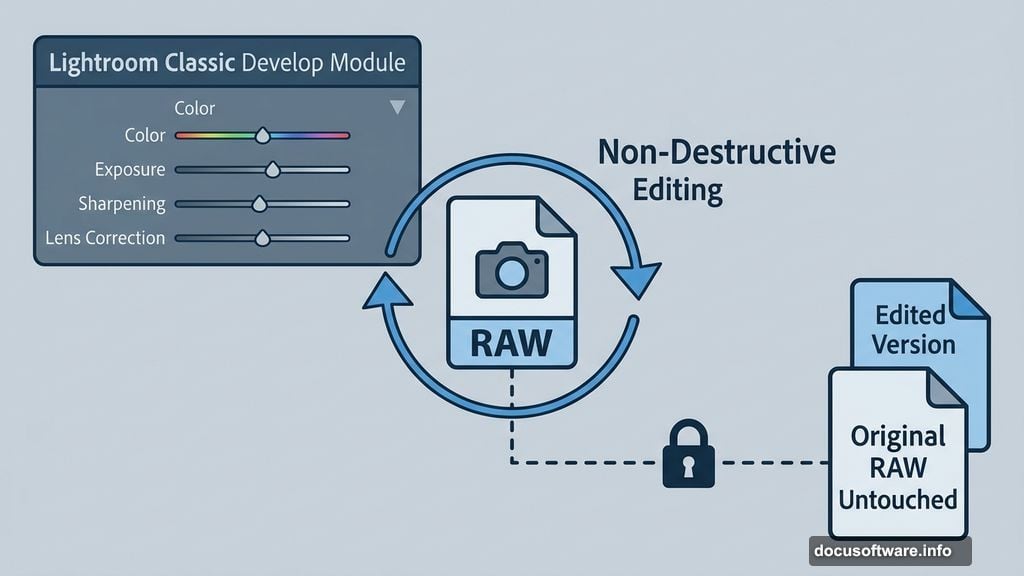
Think of it as two apps in one. First, it’s a powerful photo library. You can import thousands of images, tag them, rate them, search by location on a map, and organize everything into a logical system. Second, it’s a serious editing suite. The Develop module gives you deep control over color, exposure, sharpening, lens correction, masking, and object removal.
Everything is non-destructive, meaning your original files stay untouched forever. You can experiment freely and always return to the original image. That alone makes it worth serious consideration for anyone who shoots in RAW format.
The interface is genuinely well-designed. Seven clearly labeled sections sit in the top right menu: Library, Develop, Map, Book, Slideshow, Print, and Web. Each does exactly what it sounds like. Photographers new to the software typically find their way around within an hour.
Assisted Culling Changes the Game

Now for the headline AI feature, and this one genuinely earns its praise.
Assisted Culling is currently in Beta (Adobe calls it Early Access), and it tackles one of photography’s most tedious tasks: sorting through hundreds of nearly identical shots after a shoot. You know the drill. You fire off ten frames of the same moment, hoping one is sharp and everyone has their eyes open. Then you spend ages going through them manually.
Assisted Culling handles this automatically. It scans your imported images and flags the blurry ones, the closed-eye shots, the misfired frames, and more. You adjust a few sliders to control how aggressively it filters, choose which issues to look for, and let it run. Results arrive in seconds.
Here’s the best part: it’s free. No credits required, no extra fees. And in testing, it works impressively well. When it does make a mistake, you can override it shot by shot. For anyone who regularly imports large batches of images, this feature alone might justify upgrading.

Firefly Generative AI: Exciting but Unpredictable
The other big addition is the “Generate using Firefly” toolset, and this is where things get more complicated.
Adobe’s Firefly AI lets you do things like colorize black-and-white photos, extend backgrounds, remove objects, or even turn a photo into a short video. Sounds incredible on paper. In practice, the results vary wildly.
During testing, a black-and-white family photo was submitted for colorization. The colors applied looked convincing. But the AI also added an object that wasn’t there, and it subtly changed a person’s face. In another test, the AI cleaned up a messy tray in the background without being asked. Helpful, perhaps, but not the requested action.

Other results were genuinely impressive. Older family portraits with lower resolution got a real boost. Ancient relatives were colorized faithfully. The “bring a photo to life” video feature, which animates a still photo, produced results that were either delightful or unsettling depending on your perspective.
The maximum output resolution is 2K, which works well for old, lower-resolution images but falls short for modern high-resolution shots.
The Credit System Stings
Here’s the catch with all these Firefly features: they cost Generative Credits, and those credits don’t roll over month to month.

Subscription pricing breaks down like this. The basic Lightroom-only plan runs $12 per month and includes 250 Generative Credits. The Photography bundle with Photoshop runs $20 per month with more credits included. The full Creative Cloud Pro suite is $70 per month.
If you burn through your credits, Adobe sells add-on packs ranging from 2,000 credits for $10 per month up to 50,000 credits for $200 per month. And if you use a credit on a result you hate? Those credits don’t come back.
This is genuinely frustrating. Unlike the simpler Lightroom app, which shows you exactly how many credits a task will consume and how many you have remaining, Lightroom Classic’s Firefly integration doesn’t provide that visibility upfront. You’re essentially spending blind.
Lightroom Classic vs. Lightroom

It’s worth clarifying the difference between the two products, since Adobe markets them side by side.
Lightroom (without “Classic”) is the simpler, more modern version. It’s designed for everyday photographers who want an easier experience and are comfortable storing images in the cloud. Classic is built for professionals and serious enthusiasts who want deep control and prefer keeping their photos on local hard drives.
One feature in the standard Lightroom app actually outshines anything in Classic right now: Generative Upscale. This AI-powered tool enhances image resolution in partnership with Topaz Gigapixel, a respected name in AI upscaling. It works entirely within the app without redirecting you elsewhere, and it clearly shows credit costs before you proceed. Classic’s Firefly integration could learn a lot from this approach.
Should Photographers Make the Switch?
Lightroom Classic remains one of the best photo management and editing tools available. The core experience is excellent, the interface is polished, and the non-destructive workflow is exactly what working photographers need.
The AI additions land differently depending on who you are. Assisted Culling is a genuine time-saver and costs nothing extra. If you shoot a lot, this feature pays for itself in hours saved every single month.
The Firefly generative features are more of a mixed bag. They’re fun to experiment with, and sometimes the results are genuinely impressive. But the unpredictable quality combined with a credit system that offers no refunds makes them feel more like a premium gamble than a professional tool.
If you’re already on an Adobe subscription, the update is absolutely worth exploring. If you’re considering subscribing for the first time purely for the AI features, start with the $12 Photography plan and see how far 250 credits take you before committing to anything bigger. The core photo editing tools alone make Lightroom Classic worth serious consideration, AI or not.