Photoshop Background Removal Made Simple: No More Fuzzy Edges
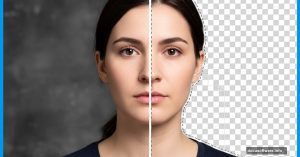
Removing backgrounds in Photoshop sounds easy until you zoom in. Those fuzzy edges and weird halos? They ruin everything.
Показано 10 из 676 материалов
Removing backgrounds in Photoshop sounds easy until you zoom in. Those fuzzy edges and weird halos? They ruin everything.
Star trail photography usually requires hours of shooting and expensive equipment. But what if you could fake it convincingly using just one starry night photo?
Isometric artwork looks complex. But it’s actually straightforward once you understand the grid system. Most designers struggle with isometric shapes because they try to eyeball
Adobe Illustrator feels intimidating when you first open it. All those panels and tools seem overwhelming. But creating intricate geometric patterns doesn’t require mastering
Photoshop masks confuse beginners more than any other feature. But here’s the secret: they’re just digital stencils that control what shows and what hides.
Want to create a professional football graphic without tracing or complex paths? The Shape Builder tool makes it surprisingly easy.
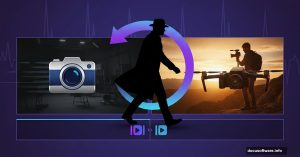
Walk-by transitions look slick. They feel cinematic. Plus, you can shoot them purely in-camera or enhance them with simple Premiere Pro masking.
Photo editing isn’t just for professionals anymore. We’re all tweaking images daily—cropping selfies, adjusting lighting, removing unwanted elements. But what happens when
Creating realistic photo composites feels like magic when done right. But most tutorials skip the critical details that separate amateur blends from professional work.
Creating convincing photo composites feels like dark magic. You drop an object into a new scene and suddenly it looks fake. The lighting feels off. The colors don’t match.