Guides & Fixes
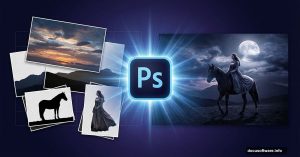
Medieval Night Rider: Build This Moody Horse Scene in Photoshop
Want to create dramatic fantasy photo manipulation? This tutorial walks you through building a complete medieval night scene with a woman on horseback.
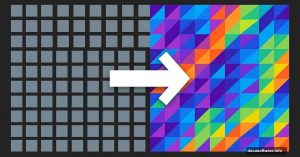
Skip the Boring Square Pixels. Try Triangles Instead
Photoshop’s mosaic filter works fine. But let’s be honest—those square pixels look dated and overused. Here’s a simple trick that creates triangle-based pixelation instead. The
Master Adobe Photoshop: 11 Essential Tips for Creating Surreal Photo Manipulations
Photoshop photo manipulation isn’t just about slapping images together. It’s about blending reality with imagination until

Swimming with Sharks in Photoshop: Build This Surreal Underwater Scene
Sharks get a bad rap. But let’s be honest. If you wade into their home and something goes wrong, who’s really the intruder?

Photoshop Apocalypse Scene: Build a Dystopian Planet View in 8 Steps
Ever wanted to create a haunting end-of-world scene that stops viewers cold? This Photoshop manipulation turns simple stock
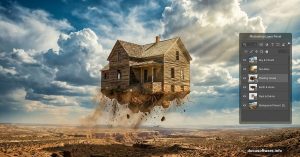
Photoshop Floating House: Make Objects Fly in 5 Steps
Ever wanted to rip a house from the ground and send it soaring through the sky? This Photoshop tutorial makes it surprisingly
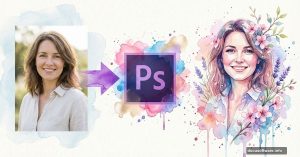
Photoshop Watercolor Portrait: Simple Steps to Create Spring-Inspired Art
Want to transform a portrait into abstract watercolor artwork? This tutorial breaks down the process into manageable steps that work even if you’re relatively new to
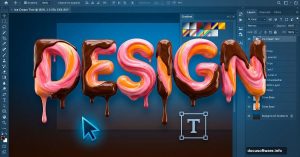
Master Adobe Photoshop: 11 Essential Tips for Creating Ice Cream Typography
Photoshop’s layer styles hide incredible potential. Most designers barely scratch the surface of what’s possible with gradients, masks, and blending modes.
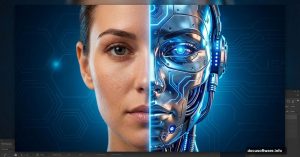
Photoshop Cyborg Tutorial: Build a Sci-Fi Scene From Scratch
Want to create haunting sci-fi art that looks professionally composited? This Photoshop tutorial breaks down every step to
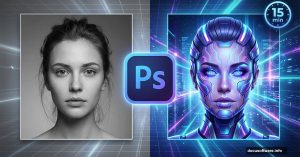
Master Photoshop Portrait Effects: Create a Sci-Fi Woman in 15 Minutes
Want to transform a simple portrait into a futuristic masterpiece? This sci-fi portrait technique combines photo manipulation with light painting to create stunning results.