Guides & Fixes

Master Photoshop: Create a Samurai Photo Manipulation
Photo manipulation transforms ordinary images into dramatic art. Plus, you don’t need advanced skills to create professional results.

Master Adobe Acrobat: 11 Essential Tips for Designers
Photoshop’s text effects can transform boring typography into eye-catching visuals. But most tutorials overcomplicate the process.

Master Photoshop Composites: Flaming Tree-Woman Effect in 15 Steps
Want to create something genuinely unsettling in Photoshop? This abstract composite technique transforms ordinary photos into

Master Adobe Photoshop: 11 Essential Tips for Delicious Text Effects
Want to make typography that looks good enough to eat? This ice cream text effect combines layer styles, brushes, and smart photo manipulation to create mouthwatering results.

Master This Emotional Sunset Scene in Photoshop: Step-by-Step Guide
Ever wanted to place subjects above the clouds during golden hour? This technique looks complicated but breaks down into manageable steps.

How to Create a Haunting Underwater Titanic Scene in Photoshop
Ever wondered how digital artists capture that eerie beauty of shipwrecks deep beneath the ocean? Today, we’re diving into a

Master This Eiffel Tower Photo Manipulation in Photoshop
Want to blend reality with fantasy? This surreal photo manipulation technique transforms ordinary stock images into dreamlike compositions that stop scrollers mid-feed.

Master Floral Tiger Photo Manipulation in Photoshop
Creating nature-inspired photo manipulations in Photoshop lets you blend reality with imagination. This tutorial shows you how to
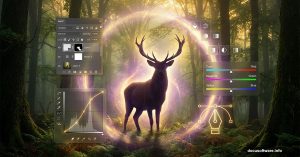
Photoshop Made This Deer Scene Look Mystical. Here’s How
Want to create a moody forest landscape with wildlife that looks like it stepped out of a fantasy novel? This tutorial breaks down the process into manageable steps anyone can

Photoshop Angel Wings Tutorial: Blend Heaven and Earth in 6 Steps
Want to create a mystical angel rising through castle ruins? This Photoshop tutorial shows you how to manipulate photos into