
Adobe just made Photoshop feel a lot more like talking to a chatbot. The company’s new AI assistant is now publicly available in Photoshop’s web and mobile apps, and it can actually make edits for you on command.
Think of it as having a capable editing partner sitting right inside the app. You type what you want, and the AI handles it. Simple as that.
Conversational Editing Comes to Photoshop
The assistant works exactly how you’d expect a modern AI tool to work. You ask it to change the color of an object, remove something distracting from the background, or tweak just about any element in your photo. Then it does the work.
For experienced Photoshop users, this might sound unnecessary. Most pros already know how to do those edits manually. But for newer users or anyone racing against a deadline, having an AI handle the technical lifting is genuinely useful.
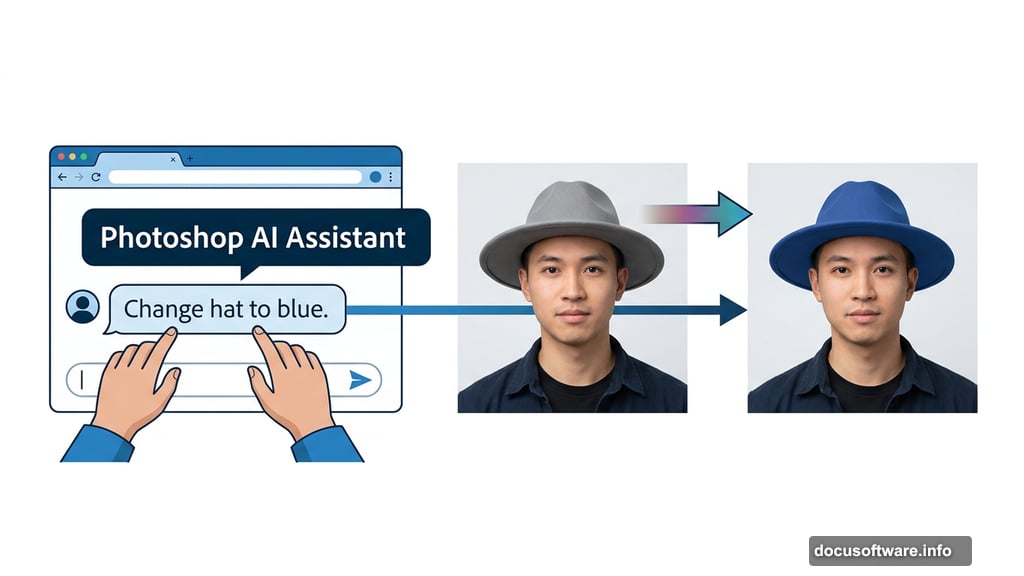
Adobe Express, the company’s more casual design tool that competes with Canva, has offered a similar AI assistant in public beta for the past few months. So Photoshop’s launch brings that same conversational experience to Adobe’s flagship editing app.
What Adobe Means by “Agentic AI”
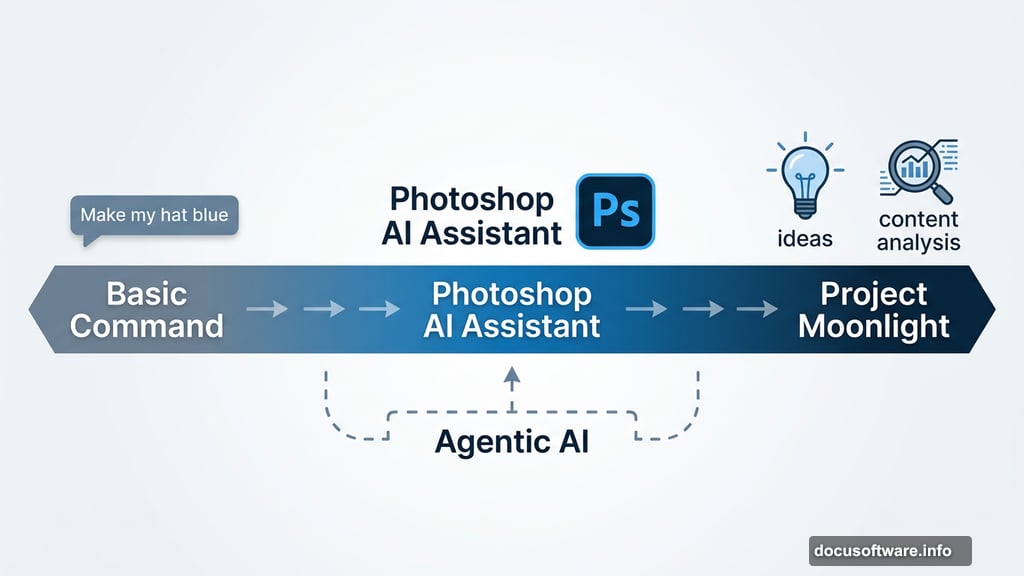
Adobe is leaning hard into what it calls “conversational, agentic” AI experiences. That word “agentic” is worth unpacking. It basically means the AI can take action independently. You don’t just get suggestions — you get results.
Mike Polner, Adobe Firefly’s VP of product marketing for creators, explained the range of what this looks like in practice. “One end of the spectrum is type in a prompt and say, ‘Make my hat blue.’ That’s very simplistic,” Polner said. On the other end sits Project Moonlight, Adobe’s more advanced concept that can understand your creative context, help generate new ideas, and analyze content you’ve already created.
So the Photoshop assistant sits somewhere in the middle of that spectrum. It’s more than a basic command line, but it’s not claiming to be a creative director either.
Creators Are Already Embracing Generative AI
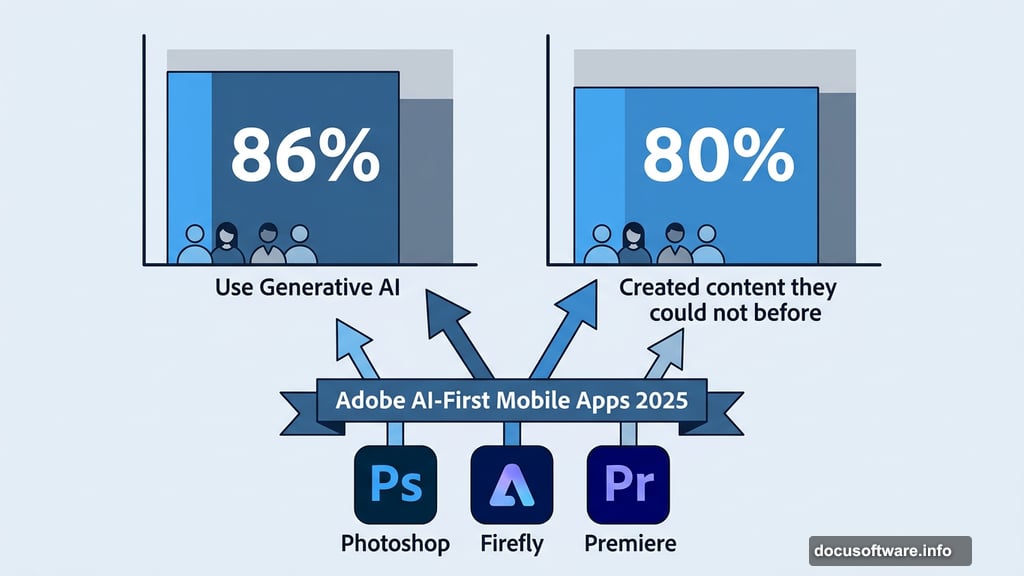
Adobe’s push into AI tools isn’t happening in a vacuum. The company recently surveyed 16,000 creators around the world, and the results were striking. A full 86% said they use generative AI in their creative work. Even more telling, 80% said it helped them create content they simply couldn’t have made otherwise.
Those numbers explain why Adobe keeps pushing forward. Plus, they align with the broader boom in generative media tools. AI image and video generators have been having a major cultural moment, with newer models from OpenAI and Google grabbing headlines regularly.
Adobe has been building toward this for a while. Back in 2025, the company launched AI-first mobile apps for Photoshop, Firefly, and a new video editor called Premiere. The direction has been clear for some time now.
Not Everyone Is on Board
That said, Adobe’s AI ambitions haven’t exactly been a universal hit with its core audience. Professional photographers, designers, and illustrators — the people Adobe has traditionally built its products for — have raised real concerns. Questions around the legality of AI-generated content, energy consumption, and broader ethical issues haven’t gone away.
Those concerns are fair and worth taking seriously. Adobe clearly believes the benefits outweigh the friction, but the conversation is ongoing.
Just the Beginning of Adobe’s AI Push
The Photoshop AI assistant is actually just one piece of a much larger wave of announcements from Adobe this week. The company also unveiled new generative audio and music tools inside Firefly, along with some cutting-edge AI research projects focused on photography.
Agentic editing tools feel like a natural next step for creative software. Whether you’re a seasoned pro who wants to speed things up or someone just getting started with photo editing, having an AI assistant that responds to plain language requests lowers the barrier considerably. The real test will be how well it performs across the messy, complicated edits that real-world creative work demands. That’s where AI assistants either earn trust or lose it fast.