
Sound Forge Pro has an unusual position in the audio software market. It’s been in continuous professional use for over 30 years — through the Sonic Foundry era, the Sony period, the MAGIX acquisition, and most recently its transition to Boris FX in March 2026. It has a loyal user base that largely doesn’t discuss it in the same forums as Logic, Pro Tools, or Ableton. It doesn’t make many “best audio software” lists. And yet working audio engineers keep using it because it does specific things exceptionally well and doesn’t try to be everything. This piece is not a feature dump. Software reviews that describe every function in a tool tell you what it does, not whether you need it. This is about the actual use cases where Sound Forge Pro is the right choice — and the ones where it isn’t.
What Sound Forge Pro Actually Is
It’s a stereo and multichannel destructive audio editor for Windows. Not a DAW. Not a multitrack recording environment. An editor — meaning the primary workflow is opening a finished or semi-finished audio file, processing it, and exporting it. The distinction matters because it explains both the tool’s strengths and its limitations. A DAW is optimized for assembly and arrangement across multiple tracks simultaneously. Sound Forge Pro is optimized for precision work on individual files. These are different problems and different solutions. Its current feature set under Boris FX includes: high-resolution recording up to 32-bit/384 kHz, the legacy NR-2.0 noise reduction suite, bundled iZotope RX Elements for additional
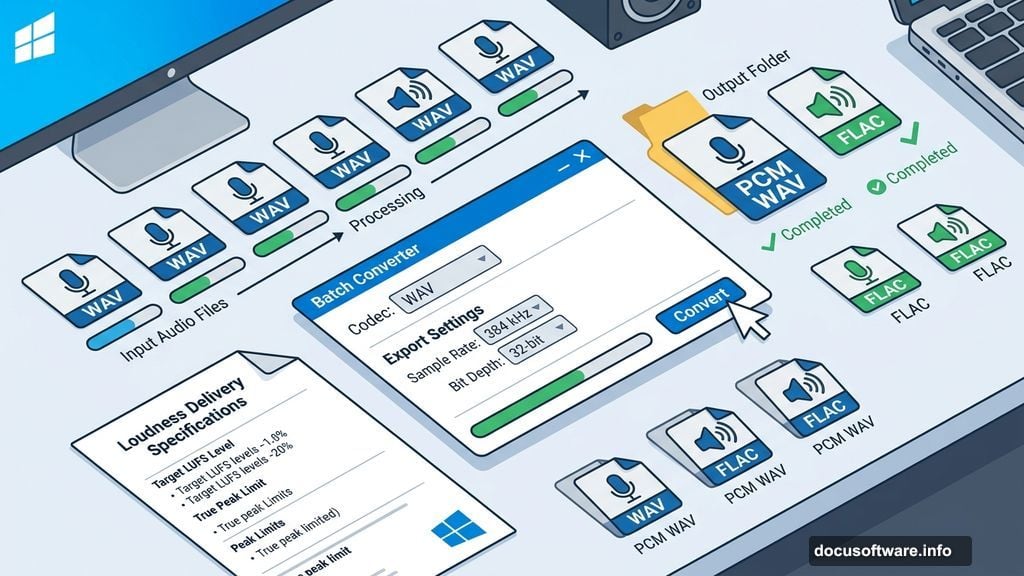
restoration tools, a Loudness (LUFS) normalization option added in version 15, the Statistics process for non-real-time loudness analysis, the Batch Converter for processing multiple files to consistent specs, and WaveColor for spectral frequency visualization. The full breakdown is in this detailed review of Sound Forge Pro if you want to go deeper on specific features.
The Three Use Cases Where It’s the Right Tool
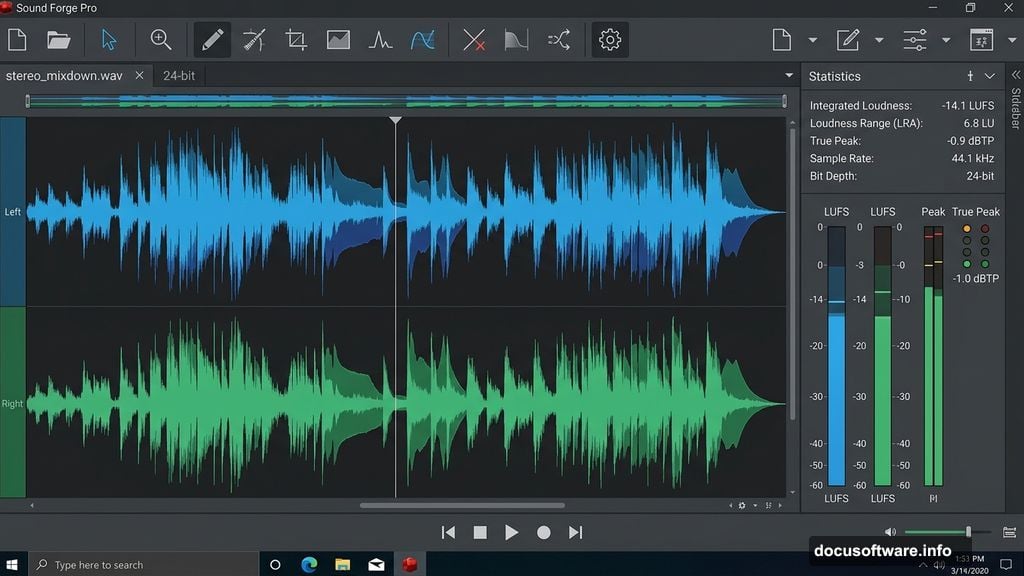
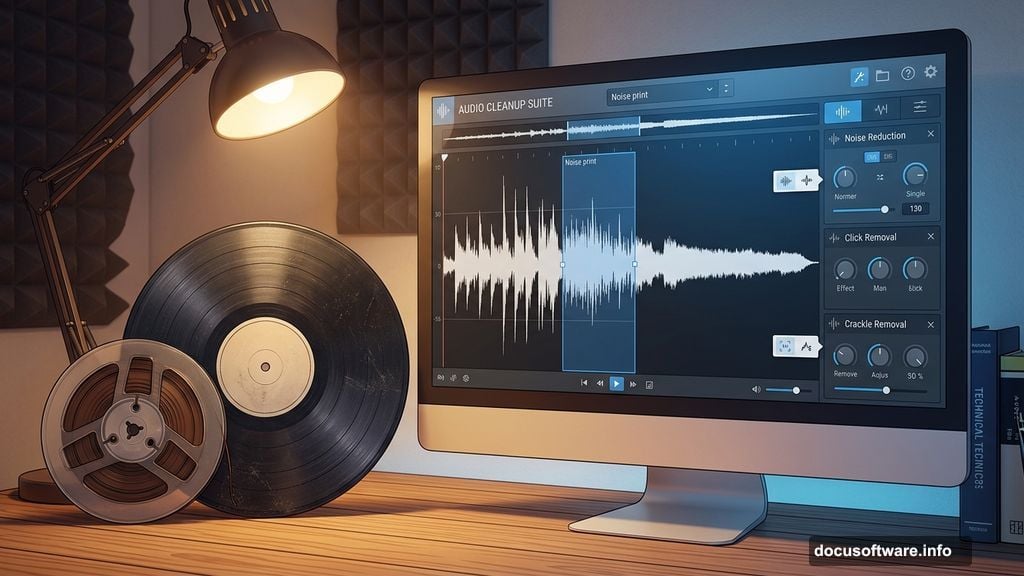
Post-mix mastering and preparation. Producers who mix in a DAW but want to finalize and inspect the stereo mixdown in a separate environment use Sound Forge Pro as the last step before delivery. The workflow: export the stereo mixdown from the DAW as a 24-bit WAV, open it in Sound Forge Pro, run the Statistics process to check integrated LUFS and true peak, apply any final processing (noise reduction, EQ trim, loudness normalization), verify again with Statistics, export in the target format with explicit codec settings. The advantage over doing this in the DAW is environmental separation — you’re no longer looking at the mix session while you’re checking the master. Audio restoration. This is Sound Forge Pro’s oldest strength. The combination of NR-2.0 noise print reduction, iZotope RX Elements, Click and Crackle Removal, and precise waveform editing at the sample level makes it well-suited for vinyl transfers, cassette digitization, and archival work. The WaveColor spectral view shows frequency content visually in a way that makes identifying noise and artifacts more efficient. For professionals doing volume digitization work, the Batch Converter handles consistent processing across large file counts. Broadcast and podcast audio delivery. The LUFS normalization presets (ATSC A/85 at -24 LUFS, EBU R128 at -23 LUFS) combined with the Statistics verification workflow address the specific requirement of broadcast QC: hitting an integrated loudness target and true peak ceiling with confidence. For podcast producers, the ability to scan a 45-minute episode for integrated LUFS in under 10 seconds without real-time playback is a practical time-saver on deliverables that need consistent levels.
Who Should Look Elsewhere
Sound Forge Pro is not the right tool if your primary need is multitrack recording and mixing. It will record, but it’s not optimized for the workflow of tracking multiple sources, editing multiple clips on a timeline, and mixing with automation. If your work is primarily in the arrangement and production phase rather than the post-production and finalization phase, a DAW is the right tool. It’s also Windows-only. Mac users don’t have access to it, and there’s no indication this is changing under Boris FX. If your studio runs on macOS, Sound Forge Pro is not an option
regardless of how well it fits your workflow in other respects. The LUFS normalization feature has a limitation worth noting: it handles broadcast presets (-20 to -25 LUFS range) but has no preset for streaming-standard targets like -14 LUFS for Spotify or -16 LUFS for YouTube. Hitting a custom streaming target requires a manual Statistics → gain adjustment → Statistics workflow, which works but takes more steps than a dedicated loudness tool would.
The Pricing Reality
Sound Forge Pro is available as a monthly subscription or as a perpetual license. The perpetual option is a notable advantage over competitors like Adobe Audition, which moved to subscription-only. For professionals who prefer to own their tools and not worry about payment interruptions affecting access to active projects, the perpetual license model has real practical value. The current pricing puts the subscription at $24.95 per month and the perpetual license at $299.95. The Plus version at the same price tier adds bundled plugins including Melodyne 5 Essential for pitch correction and additional effects. For users who need those tools anyway, the bundle pricing makes the Plus version the more cost-efficient choice. By comparison, iZotope RX Standard — which is a closer competitor in the restoration and audio repair space than any DAW — starts at $399 for a perpetual license and focuses more narrowly on restoration work without Sound Forge Pro’s recording and editing capabilities.
The Boris FX Factor
The March 2026 acquisition from MAGIX brings Sound Forge Pro into the same portfolio as Sapphire, Continuum, Mocha, and other professional post-production tools. For existing Boris FX customers, this creates potential for bundled licensing or workflow integration that wasn’t available under MAGIX ownership. For new users, the transition means the development and support organization has changed. Boris FX has a track record in professional post-production software, which suggests continued investment in the product. What specific updates or integrations Boris FX will bring is still being determined as of this writing.
The Bottom Line
Sound Forge Pro serves a specific professional workflow well: the finalization and delivery phase of audio work, where precision in levels, loudness compliance, and format output matters more than creative flexibility. It’s not competing with Logic or Ableton for the
production workflow. It’s the tool you reach for after that work is done. If that description matches what you need, it’s probably the most capable Windows-native dedicated audio editor available at its price point. If it doesn’t — if you need multitrack capability, Mac compatibility, or a general-purpose production environment — there are more appropriate tools. The 30-year production history means the core editing engine is stable and well- understood. The Boris FX acquisition is new enough that its full implications aren’t clear yet, but the tool itself has earned its professional reputation through consistent use, not marketing.